DotPixel: a new pixel-art cleanup tool for Layout Manager
DotPixel is a new tool in Layout Manager for cleaning up low-resolution pixel art. Adjust sample points, preserve important details, and turn AI-generated images into cleaner sprites with direct pixel-level control.
By RUN.Cbarker · September 21, 2026
I’ve been adding a new feature to Layout Manager, my personal tool for working with game assets. It’s called DotPixel, and it came out of a problem I kept running into with really low-resolution pixel art.
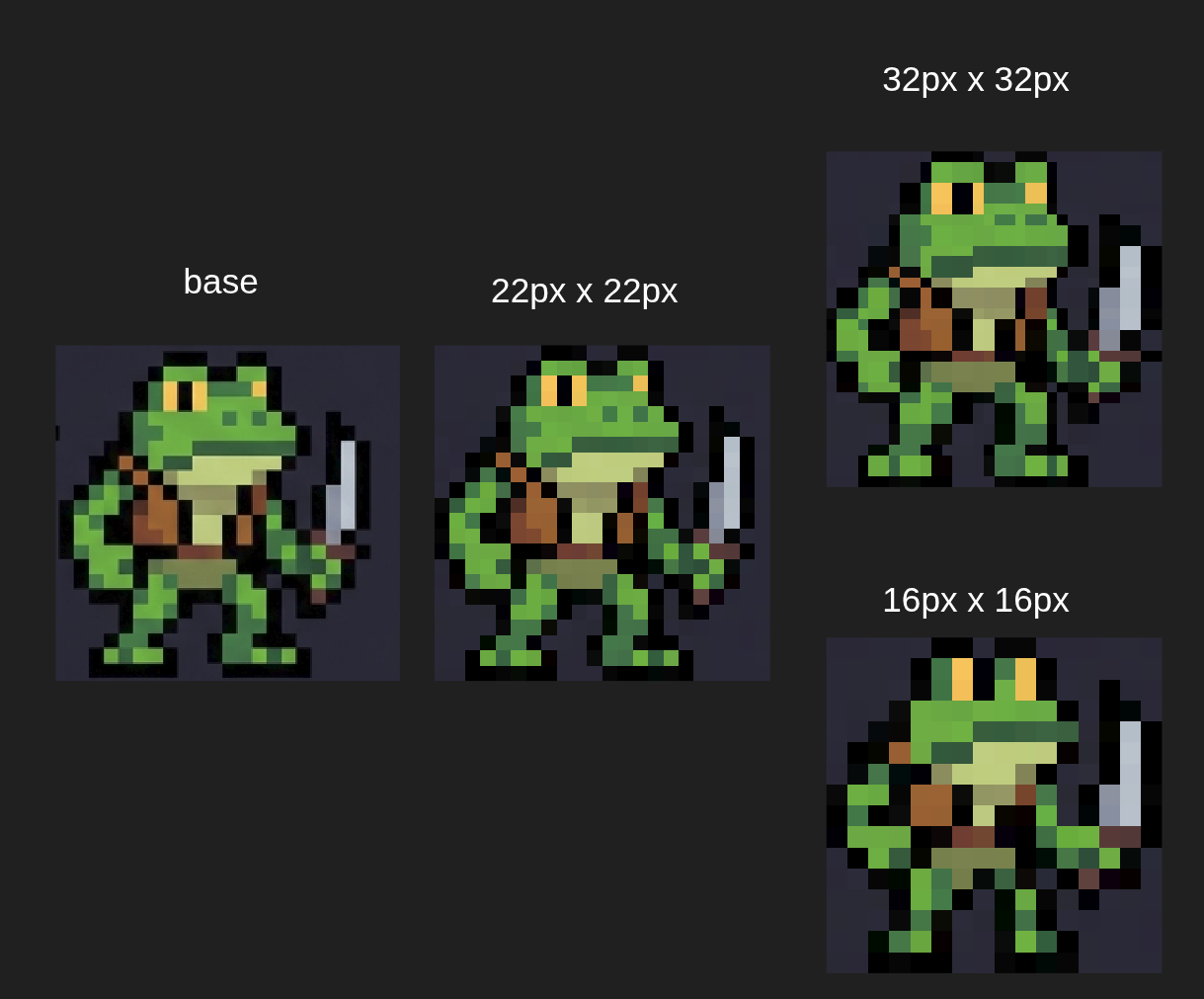
AI can produce interesting pixel-art-style images, but shrinking them to 16×16 or 32×32 often loses the details that make a sprite readable. Outlines get messy, colors blur together, and sometimes an eye disappears entirely. I usually ended up in Aseprite, cleaning things up pixel by pixel.
DotPixel gives me another way to approach that cleanup.
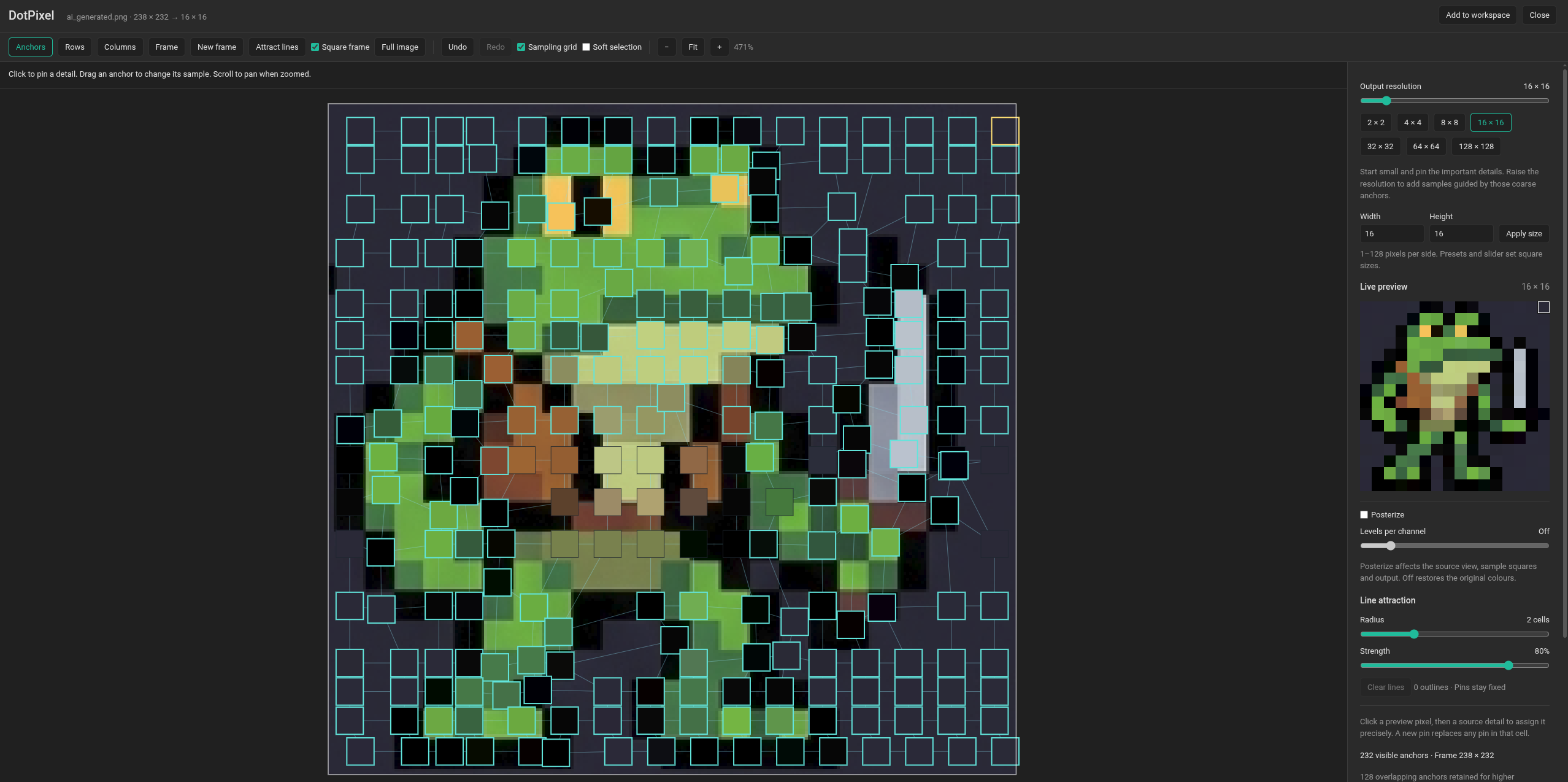
You frame the part of the image you want and choose your target output size. The tool places a grid of sample points over the source image. Each point supplies the color for one pixel in the output, and moving it changes where that pixel gets its color. The preview updates live as you work.
My recommendation is to pick your goal size and work at that resolution. Start with the larger adjustments: drag whole rows up or down, or columns left or right, to line the samples up with the sprite’s shapes. Then use individual points to recover an eye, sharpen an outline, or fix a misplaced pixel.
There’s also a soft selection toggle. It’s off by default so you can make precise adjustments without disturbing nearby points. Turn it on when you want surrounding samples to follow a movement more gently.
For more control over where the samples gather, you can draw attraction lines over the source. Nearby automatic points pull toward those lines, letting you quickly concentrate sampling around an outline or an area that needs more detail. The output stays the same size; you’re deciding which parts of the source get more attention.
DotPixel is still a work in progress. Some sprites are much easier to work with than others, but it’s already helping me clean up low-resolution art faster, with direct control over which details survive in the final sprite.
I’ll keep building on Layout Manager as I find useful ways to make asset work less clunky, and sharing those tools with the community.
Check out Layout Manager on GitHub.
https://github.com/series-ai/run-workshop/tree/main/games/layout-manager