From AI Sprite Sheets to Aseprite Animations using Astra 6
From AI Sprite Sheets to Aseprite Animations using Astra 6
By RUN.Mgordon · September 11, 2026
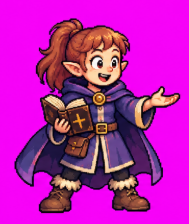
Today I tested a workflow for turning AI-generated character art into usable sprite animations. The subject was a ponytailed elf wizard with purple robes and a spellbook.
Tools used:
- Codex
- ChatGPT (Astra 6): you need a pro account
- Aseprite (if you compile it from source yourself, it's free)
The goal: generate the artwork, then use Aseprite to animate it—with editable files and GIF previews. Here is the image that Astra generated to start with:
First attempts—and an important distinction
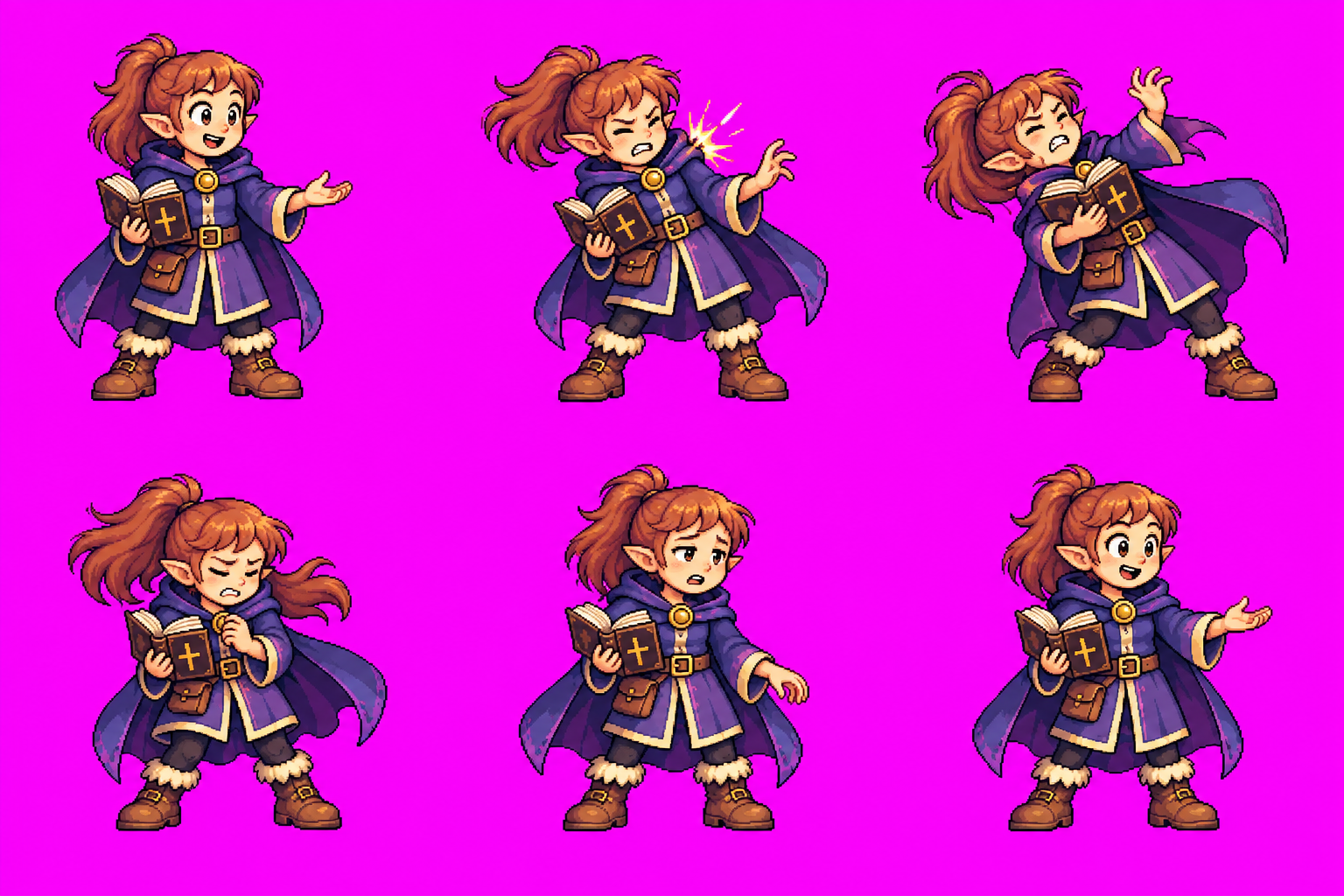
We generated a flame-casting sequence and a hit reaction. The first hit animation had six frames; I asked for eight to give the action more room.
Those early results were assembled outside Aseprite. They produced animation files, but they didn’t fulfill my request to actually animate in Aseprite. Generating an Aseprite-compatible file and using Aseprite are different things. What was interesting is that Astra created it's own sprite sheets and animations...and it did pretty well all things considered! Here is the sprite sheet:
And the resulting animation:

Next, we tried two approaches inside Aseprite:
- One generated pose: Lua created recoil through body deformation, facial changes, and an impact flash. Astra didn't use the sprite sheet we'd made before...so we had to go back to the drawing board.
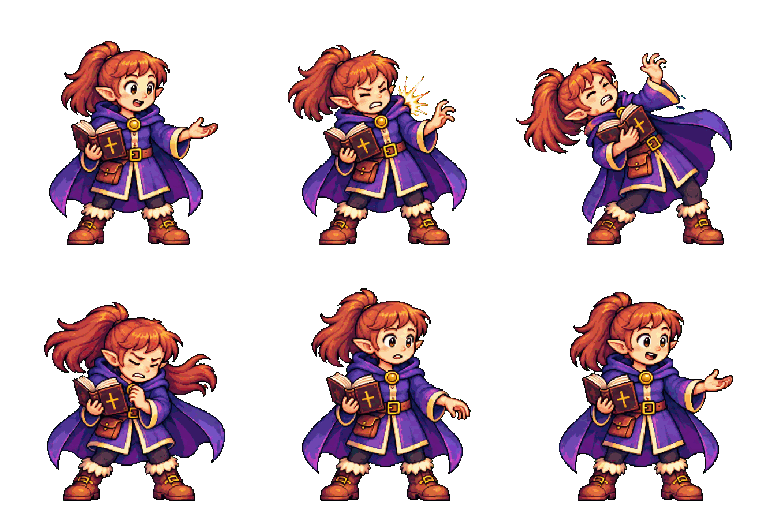
The single-pose approach kept the artwork consistent but had limited movement. The eight-pose sheet offered more expressive action, with more potential for differences between frames. Both of these approaches had Astra take over my machine through Codex...which was very unpleasant becuase it took 5 minutes per animation (and some intervention on my side) and I couldn't really use my machine while it was slowly animating. This is what that looked like...for 10 minutes.
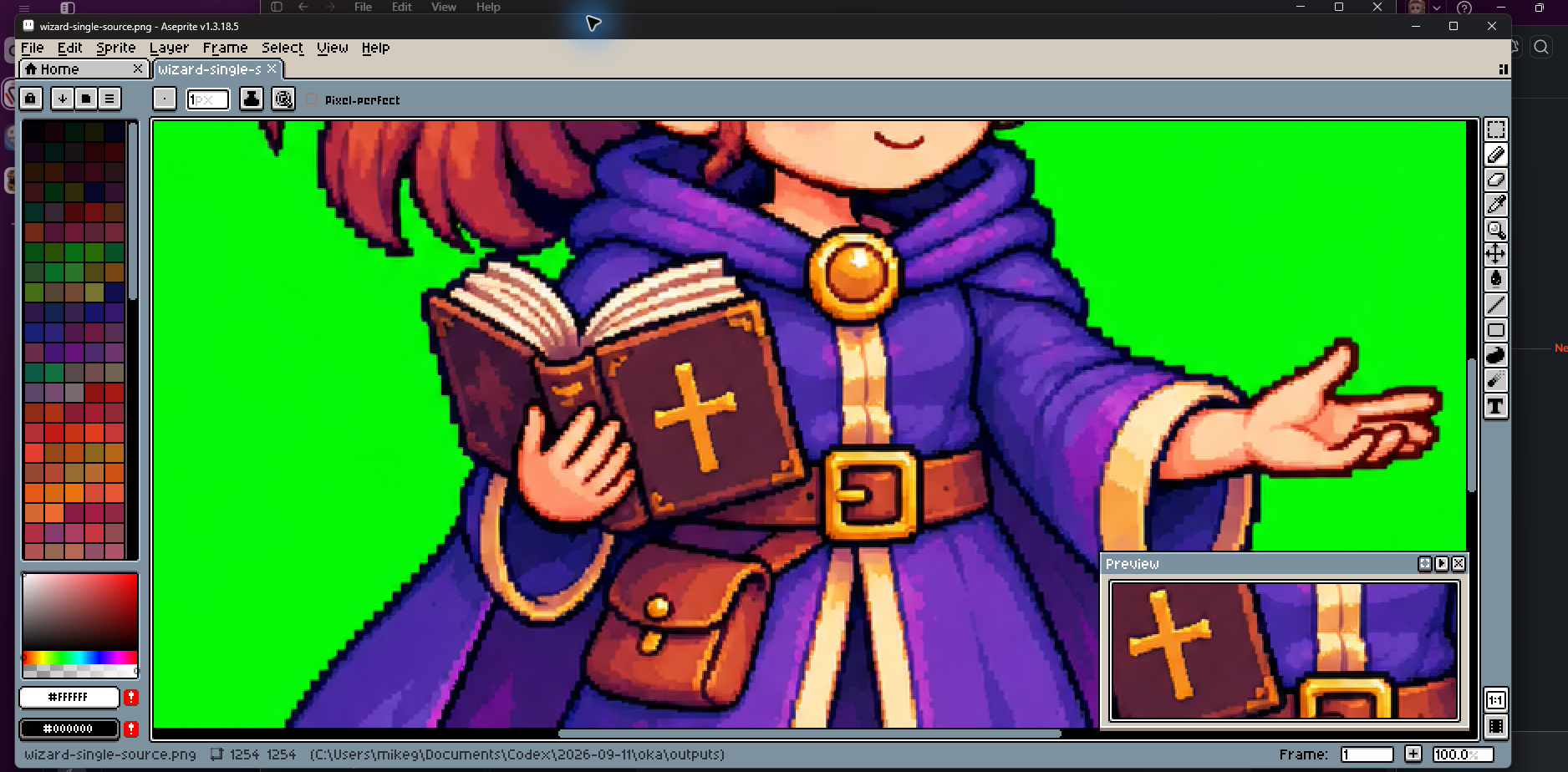
The reading-idle test
Lua running inside Aseprite extracted the frames, aligned them to a shared baseline, assigned timing, and exported an editable project, animated GIF, sprite sheet, and JSON metadata. Importantly it meant that Codex/Astra didn't have to take over my entire machine.
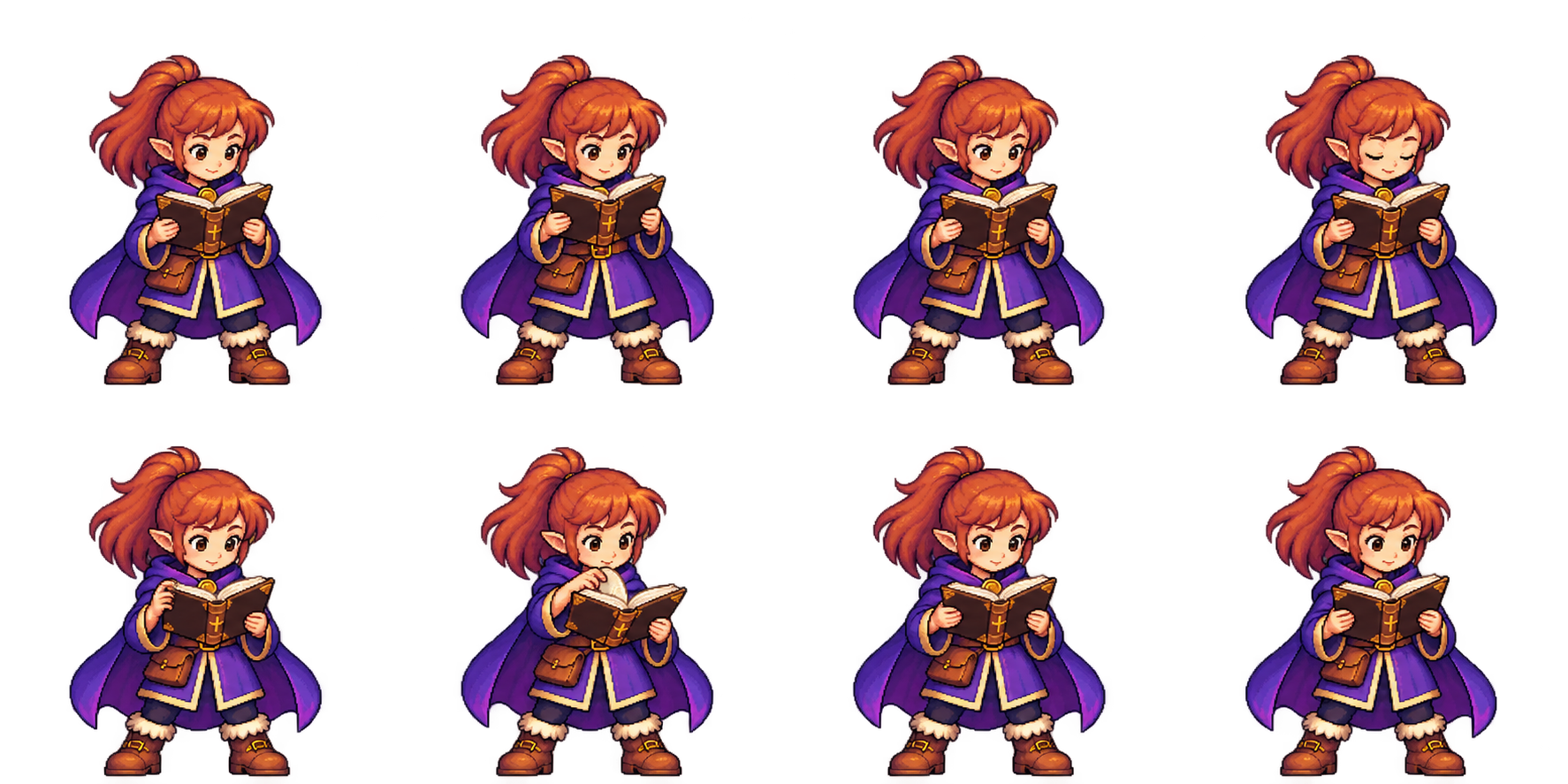

What worked
The strongest result was a repeatable division of work: AI generated the poses; Aseprite and Lua handled frame extraction, alignment, timing, cleanup, and export.
The lesson was simple: generated artwork still needs inspection. A sprite sheet is a starting point—and the cleanup and animation steps matter just as much as the image generation.
Overall, if you are using LUA API controls for Asperite...there is nothing special to Astra that couldn't also be done with Fable/another model.